
 Now in beta
Records analysis and mapping for investigators.
Horizon turns subscriber information, call detail records, timing-advance, and location and social media returns into an interactive analysis and mapping environment.
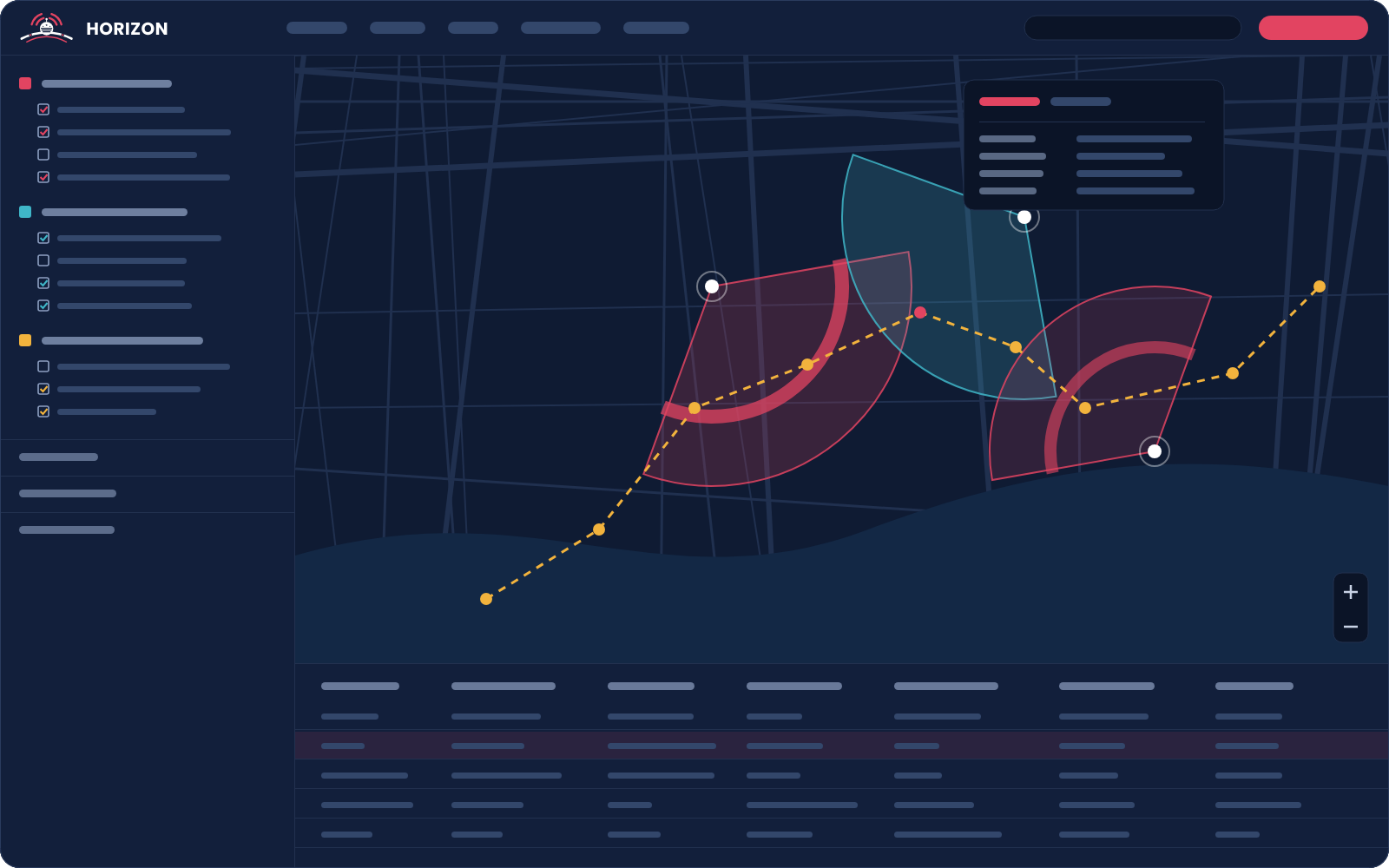
Illustration of the Horizon workspace.
Built by investigators
Made by the people who do this work.
Horizon isn't designed by a software company guessing at what investigators need. It's created and maintained by career investigators and subject matter experts who map these records, write the reports and explain them in court.
- Reads the returns investigators actually get, from the major carriers and the common apps
- Draws sectors and timing-advance arcs the way an analyst would, with settings you control
- Shows the original record behind any point on the map
- Improved with feedback from working investigators and analysts
Upload
Reads the returns you already get.
Drop in .xlsx, .xls, .csv, .txt, .pdf, .zip or .html files, several at once. Horizon tells you what it detected and asks how to place the records: against a cell site list, or using the coordinates already in the records.
Workflow
How a case comes together.
Create a case
Give it a case number and a description.
Upload records
Add the cell site list, then the call, timing-advance or location files.
Choose what shows
Turn phones, files, days and single records on or off in the Records tree.
Narrow it down
Filter by timeframe, location or day of the week, and play it on the timeline.
Report and save
Run reports, then save, export or share the case.
Features
Everything in one workspace.
The map
Shaded sectors along the azimuth, timing-advance arcs at the right distance, and location points at the reported coordinates. Adjust beam width, arc depth and opacity for the whole case or a single record.
Records tree and table
Records grouped by phone number, file and day. Check a record to show it, right-click to isolate it, double-click to center it. The table follows whatever is on.
Filters and timeline
Limit records to a time window, to shapes you draw on the map, or to certain days of the week. Then play them back across time.
Analysis tools
Top callers, common locations, potential residence, record gaps, time of interest, movement, data sessions and co-located devices. Print results or save them as CSV.
Commonality and AI Partner
Compare phones or files for shared contacts, sites or times. Ask AI Partner questions about the records in the open case.
Live pings
Watch carrier ping emails for a device and pull new locations onto the map, with alerts when it enters or leaves an area.
Control
You decide how every record is placed and drawn.
Horizon doesn't make the mapping decisions for you. You choose where each record's location comes from and how it appears on the map.
Cell site list binding
Tie records to locations the way the case needs.
- Bind a cell site list record by record
- Use multiple cell site lists in the same case
- Place records by the locations embedded in the return
Call detail and timing-advance display
Adjust how records appear on the map.
- Set the numerology so timing-advance arcs fall at the right distance
- Change the sector angle and arc depth
- Fine-tune opacity and other display settings
Case data
Your case stays with you.
Stored on your computer
While a case is open it lives in your browser. Link a Master Case Directory and Horizon keeps a folder for every case on your own computer, ready to back up or archive.
Export and share
Export a case as a single .horizon.zip file. Share sends another Horizon user their own copy, and the server copy is deleted once it's claimed or after 24 hours.
Accounts and sign-in
Administrators add users and roles and can require two-factor authentication. Horizon runs in Chrome or Edge.
Pricing
Affordable by design.
Horizon is priced to fit real agency budgets, not just the largest departments. Try it first with a trial, then talk to us about pricing for your team.
Affordable
Priced to fit real agency budgets.
Try it first
Start with a trial before you commit.
Nothing to install
Horizon runs in Chrome or Edge.
Horizon beta
Help shape Horizon.
We're inviting analysts, investigators and legal professionals to use Horizon during the beta and tell us what works.